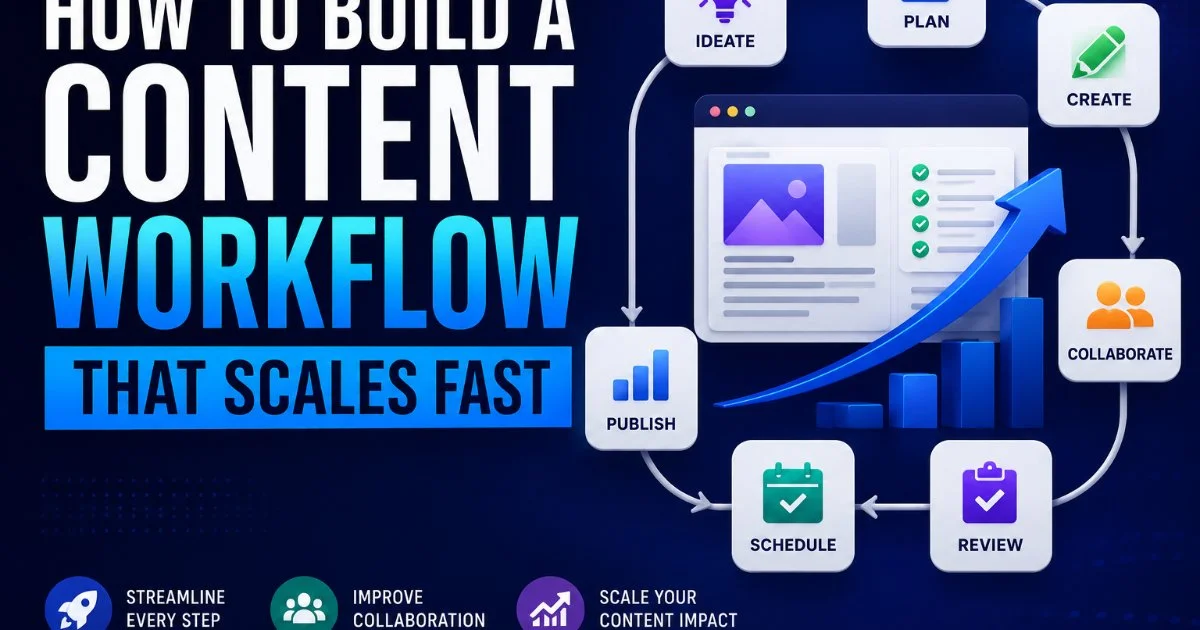
Learning to build a content workflow that scales is the single most important operational shift a digital marketer or content creator can make and beyond. Without a repeatable system, every blog post, social update, or email campaign becomes a one-off project that drains time and budget.
The teams producing 50, 100, or 200 pieces per month aren't working harder; they're working inside a system designed for throughput. A scalable workflow turns content production from an unpredictable grind into a reliable engine.
If you want to understand the broader landscape of content marketing automation, that foundation will make every step below easier to implement. This guide walks you through the exact process, from auditing your current state to automating handoffs, so you can build a content workflow that scales without sacrificing quality. Let's get into the steps.
Key Takeaways
- Map every step before you automate anything or add new content tools.
- Assign clear ownership at each stage to eliminate bottlenecks and confusion.
- Content repurposing multiplies output without multiplying effort or team size.
- AI handles drafts and briefs well but still needs human editorial oversight.
- Measure cycle time and throughput weekly to spot scaling problems early.
Step 1: Audit and Map Your Current Content Process
Before you add any tools or restructure your team, document exactly how content moves from idea to publication today. Open a whiteboard tool or a simple spreadsheet and list every stage: ideation, briefing, drafting, editing, design, approval, publishing, and distribution. Most teams skip this step because it feels obvious. But the moment you write it down, you'll see gaps, redundancies, and handoff points that silently eat hours every week.
Talk to every person involved in the process. Ask writers where they wait for input. Ask editors what slows reviews. Ask designers how they receive briefs. The answers will rarely match, and those mismatches reveal the friction points a scalable workflow must eliminate. Recording actual cycle times for your last ten pieces of content gives you a real baseline, not a guess.
Identify Hidden Bottlenecks
Common bottlenecks include approval loops with too many stakeholders, unclear feedback formats, and content briefs that lack keyword targets or audience context. If one person reviews every piece before it ships, that single dependency will cap your output regardless of how many writers you hire. Flag any stage where content sits idle for more than 24 hours; that's your first optimization target.
Time-stamp each stage in your project management tool for two weeks before changing anything. Real data beats assumptions.
At the end of this step, you should have a visual process map (even a rough one) showing every stage, the person responsible, the average time each stage takes, and every handoff. This document becomes the blueprint for everything that follows. Without it, scaling is just adding chaos at higher volume.
Step 2: Define Roles, Templates, and Standards
Scaling fails when people are unsure who does what. Assign a single owner to each stage of your workflow. The ideation lead decides what topics move to briefing. The editor owns the quality gate. The publisher handles scheduling and distribution. Overlapping responsibility sounds collaborative, but in practice it creates confusion, delays, and dropped tasks. Write these assignments into a RACI matrix and share it with the team.
Standards are the connective tissue of a fast workflow. Define your brand voice guidelines, target word counts by content type, SEO requirements (focus keyword placement, internal linking minimums), and formatting rules. When a writer opens a brief, they should know exactly what "done" looks like. This eliminates revision cycles caused by misaligned expectations rather than actual quality problems.
Build Your Template Library
Templates accelerate every content type you produce. Create structured briefs for blog posts, social media batches, email campaigns, and ad copy. Each template should include fields for target audience, primary keyword, secondary keywords, CTA, and reference links. Teams that use standardized briefs report cutting their drafting time by roughly 30% because writers spend less time guessing and more time writing.
Templates should evolve quarterly. Lock them too early and they'll become obstacles instead of accelerators.
| Stage | Owner | Deliverable | Max Turnaround |
|---|---|---|---|
| Ideation | Content Strategist | Approved topic list | 3 days |
| Briefing | SEO Lead | Completed brief template | 1 day |
| Drafting | Writer | First draft in CMS | 3 days |
| Editing | Editor | Approved final draft | 2 days |
| Design | Designer | Featured image and graphics | 2 days |
| Publishing | Content Manager | Live post with distribution | 1 day |
By the end of this step, you should have a RACI chart, at least three brief templates, and a one-page style guide your team can reference instantly. These documents cut onboarding time for freelancers and new hires in half, which matters enormously when you start increasing output. Every marketing automation system works better when the inputs are consistent.
Step 3: Integrate AI and Automation Into Repeatable Steps
Now that your process is mapped and standardized, you can layer in AI and automation tools without creating chaos. The key principle: automate repetitive, low-judgment tasks first. Brief generation, meta description drafts, social media caption variants, and content calendar scheduling are strong candidates. These tasks follow predictable patterns and don't require deep editorial judgment, making them ideal for marketing automation platforms.
AI-powered writing assistants can produce solid first drafts from detailed briefs, especially for formulaic content like product descriptions, FAQ pages, and social snippets. For longer editorial pieces, AI works best as a research and outlining partner rather than a finished-draft generator. The quality gap between AI-generated long-form content and expert-written content remains significant, so plan for human editing on anything above 500 words. Understanding how AI interacts with media production will help you set realistic expectations for your team.
Where AI Fits and Where It Doesn't
Automation shines in handoff notifications, status updates, and publishing triggers. Connect your project management tool to your CMS so that when an editor marks a piece "approved," it automatically moves to the publishing queue. Set up Slack or email alerts when deadlines are approaching. These small automations eliminate the "checking in" messages that clutter your team's communication and slow everyone down.
Automating approvals without a human checkpoint can let errors slip through to publication. Always keep at least one manual review gate.
When step three is complete, you should have at least two AI-assisted processes running (such as brief generation and social caption creation) and three to five automated triggers in your project management system. Don't forget to check that your automated outputs meet basic accessibility standards, especially for image alt text and content formatting. Test the full pipeline with five pieces of content before rolling it out to the entire team.
"Automation doesn't replace your workflow; it removes the friction between each step so content moves faster."
Step 4: Build a Content Workflow That Scales Through Repurposing and Measurement
The fastest way to build a content workflow that scales is to extract maximum value from every piece you create. Content repurposing should be a built-in stage, not an afterthought. A single 2,000-word blog post can become five LinkedIn posts, a newsletter section, a Twitter thread, a short video script, and an infographic. When you plan for repurposing at the brief stage, writers structure content in ways that make extraction easier later.
Build a repurposing matrix that maps each content format to its derivative outputs. For example, every podcast episode gets a blog summary, three audiogram clips, and a quote graphic. Every long-form guide gets a checklist PDF and an email series. Assign repurposing tasks in the same project management workflow so they don't fall into a "we'll get to it later" limbo. The content tools you chose in step three should support batch creation of these derivative assets.
Track the Right Metrics
Scaling without measurement is just guessing at higher volume. Track three operational metrics weekly: cycle time (days from brief to publication), throughput (pieces published per week), and revision rate (percentage of drafts requiring more than one editing pass). These numbers tell you whether your workflow is actually scaling or just producing more bottlenecks. If cycle time increases as throughput rises, you have a capacity problem to solve.
Performance metrics matter too. Track organic traffic per piece, engagement rates on repurposed content, and conversion rates from content-driven landing pages. Pair operational data with performance data to understand not just how fast you're producing, but whether what you produce actually works. A workflow that ships 30 mediocre articles weekly is worse than one that ships 15 high-performers. Adjust your content calendar based on what the numbers reveal, not on instinct alone.
Create a weekly dashboard that shows both operational and performance metrics side by side. One spreadsheet, reviewed every Monday.
At the end of this step, your team should have a repurposing matrix, automated derivative task creation, and a live dashboard tracking cycle time, throughput, and content performance. These tools close the feedback loop that turns a static workflow into a system that improves every month. You now have everything needed to build a content workflow that scales confidently with your business goals.
Frequently Asked Questions
?How do I time-stamp workflow stages in a project management tool?
?Can AI write final drafts or just briefs and outlines?
?How long does auditing and mapping a content process realistically take?
?Is repurposing content a shortcut that lowers quality over time?
Final Thoughts
Building a scalable content workflow is not a one-time project; it's an evolving system you refine as your output grows. Start with the audit, lock in roles and templates, automate the repetitive layers, and measure everything.
The teams that build a content workflow that scales successfully share one trait: they treat process as a product, iterating on it with the same discipline they apply to the content itself. Follow these four steps, and you'll move from reactive content production to a system that grows with you.
Disclaimer: Portions of this content may have been generated using AI tools to enhance clarity and brevity. While reviewed by a human, independent verification is encouraged.